
As of the 2026 testing year, there is no separate “SAT Math calculator section” anymore the Digital SAT allows a calculator, including the built-in Desmos graphing calculator inside the College Board’s Bluebook app, on every single Math question across both adaptive modules, for a total of 44 questions in 70 minutes.
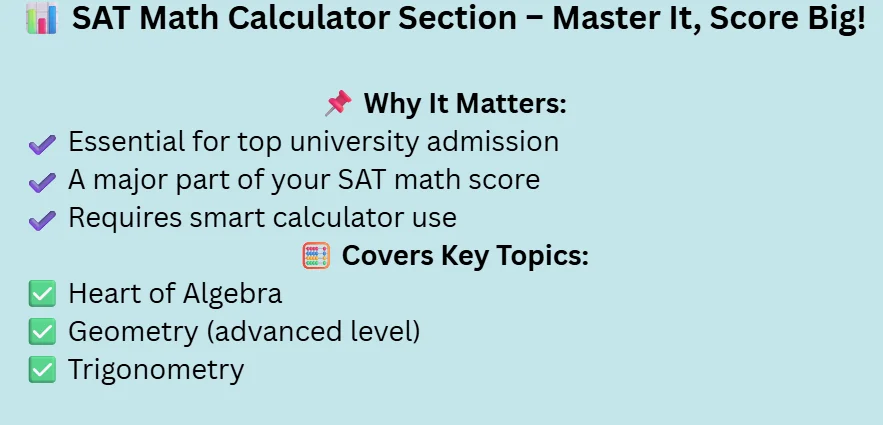
The SAT math calculator is an essential part of the SAT. This area covers a wide range of topics related to math. Students who want to get good scores and are willing to get admission to higher universities must prepare in this section of math.
Hardest SAT Math Questions For Practice
This section is advanced and requires a calculator to solve the problems. In this section, the topics included the heart of algebra, geometry advancement, and the trigonometry section must grip this section a a very valuable way to achieve higher scores on the SAT.
The SAT Math Calculator Section Has Changed
The answer is straightforward: the separate “calculator” and “no-calculator” Math sections you may have read about no longer exist. Since the College Board fully transitioned the SAT to the Digital SAT format in 2024, every Math question across both adaptive modules allows calculator use, including the built-in Desmos graphing calculator inside the Bluebook testing app. If you’re preparing using older SAT math calculator practice test materials, including some of the ones referenced elsewhere on this page, keep in mind they may reflect the retired paper-based format rather than what you’ll actually see on test day.
Digital SAT Math Format (Current)
| Item | Detail |
|---|---|
| Total questions | 44 |
| Modules | 2 (22 Qs each) |
| Time per module | 35 min |
| Total time | 70 min |
| Calculator | Allowed, all Qs |
| No-calc section | None |
Old Paper SAT Math Format (Retired for U.S. Students)
| Item | Detail |
|---|---|
| Calculator section | 38 Qs, 55 min |
| No-calculator section | 20 Qs, 25 min |
| Status | Discontinued 2024 |
| Still used | Some intl. paper tests |
Pro Tip: If you’re studying with a book or PDF that mentions a “no-calculator section,” check its publication date. Anything published before 2023–2024 is almost certainly describing the retired paper format, and practicing under those rules can actually hurt your pacing habits for the real Digital SAT.
SAT Math Calculator Questions
A calculator is also allowed in this section. This section consists of 38 questions. You are given only 55 minutes to complete this section. The questions in this section consist of algebra, advanced math, geometry, and advanced math.
Multiple-choice and grid-type questions are asked in this section. Use only the approved calculators according to the College Board website. You can only use scientific calculators, graphing calculators, tors, and function calculators.
SAT Math Calculator Practice Test
For time management, sat math calculator practice is critical. If you use the SAT math calculator, it covers your algebra, advanced math, geometry, and data analysis topics. You need to practice the multiple-choice and grid-based questions.
Because this section consists of multiple-choice and grid questions, use the calculator in the exam that you already used during the practice. When you do a regular practice, you can also increase your speed and manage time.
Format of the SAT Math Calculator
You can use the calculator in this section which consists of 38 questions.55 minutes are required for solving questions Twotwo these questions that are asked in section. This section consists of multiple grid-based questions. Algebra includes advanced math, geometry, and data analysis questions are asked.
SAT Math Calculator Practice PDF
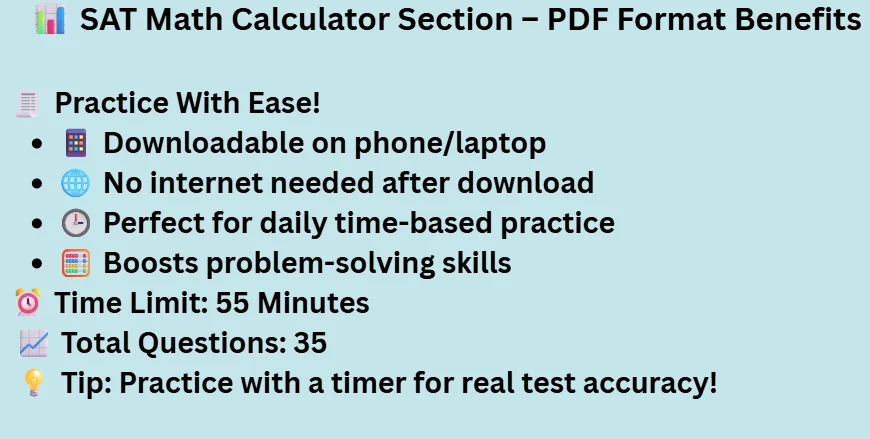
Practise is very important in the SAT calculator math section. If you find the material in the form of a PDF format it is very easy and essential for you. You can also download this material on your mobile phone and laptop and use it anytime.
You do not need to carry the hard copy. Candidate can also improve their time management and problem-solving skills by solving this PDF. You can also open this PDF without the internet after downloading
SAT Math Calculator Practice Test Time
You are given only 55 minutes to complete this section. This section consists of 35 questions.
What Is the Built-In Desmos Calculator on the Digital SAT?
The Desmos graphing calculator is built directly into the Bluebook app and appears automatically the moment a Math module begins — it isn’t a separate download or setting you need to enable. It handles graphing, equation solving, regressions, and unit conversions, and it’s available for every Math question in both modules, which is why most students never need to bring a handheld calculator at all, though an approved backup like a TI-84 Plus is still allowed.
Which Handheld Calculators Are Approved for the Digital SAT in 2026?
Even though Desmos is built in, many students still bring a familiar handheld device as a backup in case of a technical issue. The approved list still includes most scientific and graphing calculators, such as the TI-84 Plus, TI-84 Plus CE, Casio fx-9750GII, TI-83 Plus, and the FX-991ES Plus. Always check the current College Board-approved calculator list before test day, since models are occasionally added or removed.
Pro Tip: Practice with the same calculator setup you plan to use on test day if you intend to rely mainly on Desmos, do your practice tests in Bluebook itself rather than a printed PDF, since the interface and input methods differ enough to affect your pacing if you’re not used to them.
How Should You Practice for the Digital SAT Math Section?
The most effective SAT math calculator practice test approach mirrors the real adaptive structure: complete timed 35-minute modules rather than untimed question sets, and review every missed question by domain (Algebra, Advanced Math, Problem-Solving & Data Analysis, or Geometry & Trigonometry) so you can see which category is actually costing you points. Because Module 2’s difficulty depends on your Module 1 accuracy, practicing under real timing conditions not just working through a static practice PDF gives a far more accurate picture of your likely score than an old-format worksheet does.
FAQs
Is a TI-84 allowed on the SAT?
Yes, TI-84 calculators are also allowed.
What is the best calculator for the SAT math?
I suggest the TI-84 Plus, TI-84 Plus CE, Casio fx-9750GI I, and TI-83 Plus calculators. This calculator is very good for the sat math.
How much time for the SAT math calculator
55 minutes are given to you for this section.
Can you use a calculator on the SAT math test?
Yes, you can also use the calculator in the SAT math, but in the noncalculator section, you do not use a calculator.
Is the FX 991ES Plus allowed in SAT?
Yes FX991ES plus calculator is allowed in the sat math.
Is there still a no-calculator section on the SAT in 2026?
No. The no-calculator section was eliminated when the SAT moved to the Digital SAT format in 2024. A calculator is now allowed on every Math question.
How many questions are on the Digital SAT Math section?
44 total, split into two adaptive modules of 22 questions each, for 70 minutes of total Math testing time.
Do I need my own calculator if I use Desmos?
Not strictly, but many students bring an approved handheld calculator as a backup in case of a technical issue with the testing device.
Are old SAT math calculator practice tests still useful?
Partially. The underlying math skills (algebra, geometry, data analysis) are still relevant, but the section structure, timing, and question count in older materials reflect the retired paper format, so pacing practice should be done using current Digital SAT-format materials or Bluebook itself.